⌨ Chrome Extension
Phantom Typer
Human-like typing automation for websites.
Prepare text, choose a speed, and let Phantom Typer type naturally into supported web fields using realistic keyboard simulation.
Human-like typing automation for websites.
Prepare text, choose a speed, and let Phantom Typer type naturally into supported web fields using realistic keyboard simulation.
Everything you need for realistic, natural typing automation.
Simulates natural keyboard events — keydown, keypress, input, keyup — just like a real person typing.
Six speed levels — Slow, Normal, Fast, Very Fast, Ultra, and Insane. Free users get Slow and Normal. Pro unlocks Fast, Very Fast, Ultra, and Insane.
Natural pauses at punctuation and randomized delays make the typing feel genuinely human.
Optionally introduce and auto-correct realistic typos for an authentic typing experience.
Always Type, Replace, If Empty, or If Content — choose how text is inserted into fields.
Trigger typing with a customizable keyboard shortcut. Focus any field and press to start.
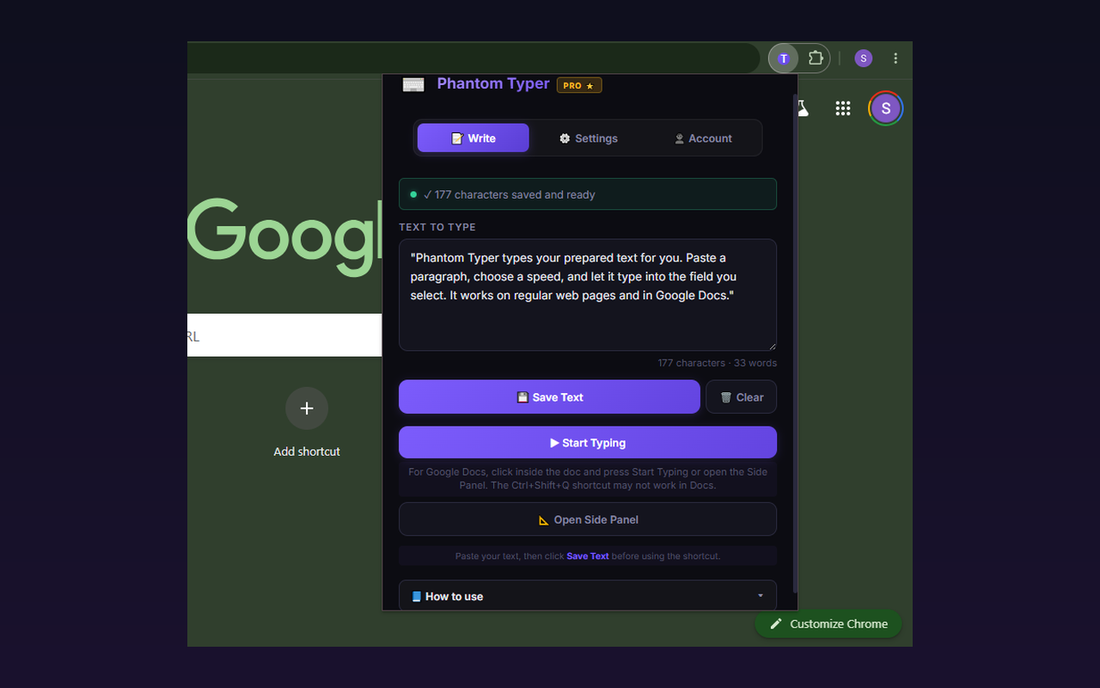
Save your text in the extension popup or side panel. It persists between sessions using Chrome storage.
Type directly into Google Docs from the popup Start Typing button or the side panel.
Dock Phantom Typer beside your tab with Start and Stop controls. Recommended for Google Docs and long typing sessions.
Real screenshots of Phantom Typer at work.
Save your prepared text, choose your options, and start typing from the popup.
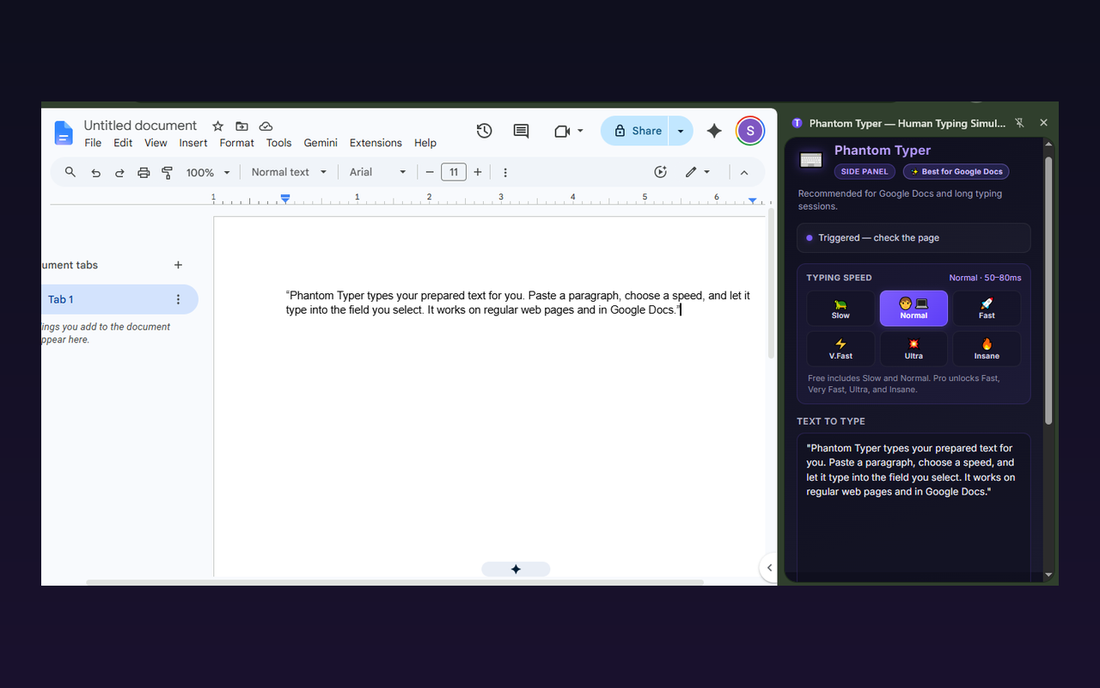
Use the Side Panel for Google Docs, long text, and easy Start/Stop control.
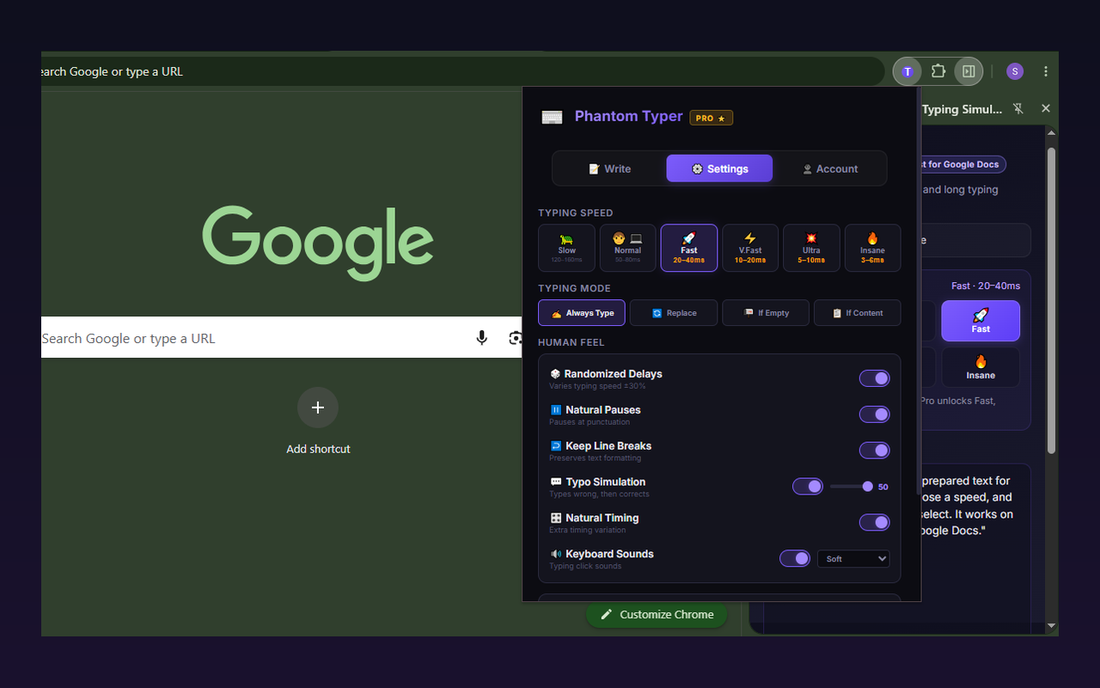
Free users get Slow and Normal. Pro unlocks Fast, Very Fast, Ultra, and Insane.
Get started in under a minute.
Once approved, install Phantom Typer from the Chrome Web Store.
Open the popup and paste or type the text you want to automate.
Pick your typing speed, mode, and Human Feel options.
Focus a text field on any website and press your shortcut key.
Start free. Upgrade when you need more power.
Features we're actively working on.
Your data is safe with Phantom Typer.